Canvas
The HTML Canvas API lets you draw 2D graphics with JavaScript. You can render to a canvas inside the web view.
Setup
- Set the runtime environment to Browser or Browser & Node.js.
- Toggle the web view on.
Drawing on the canvas
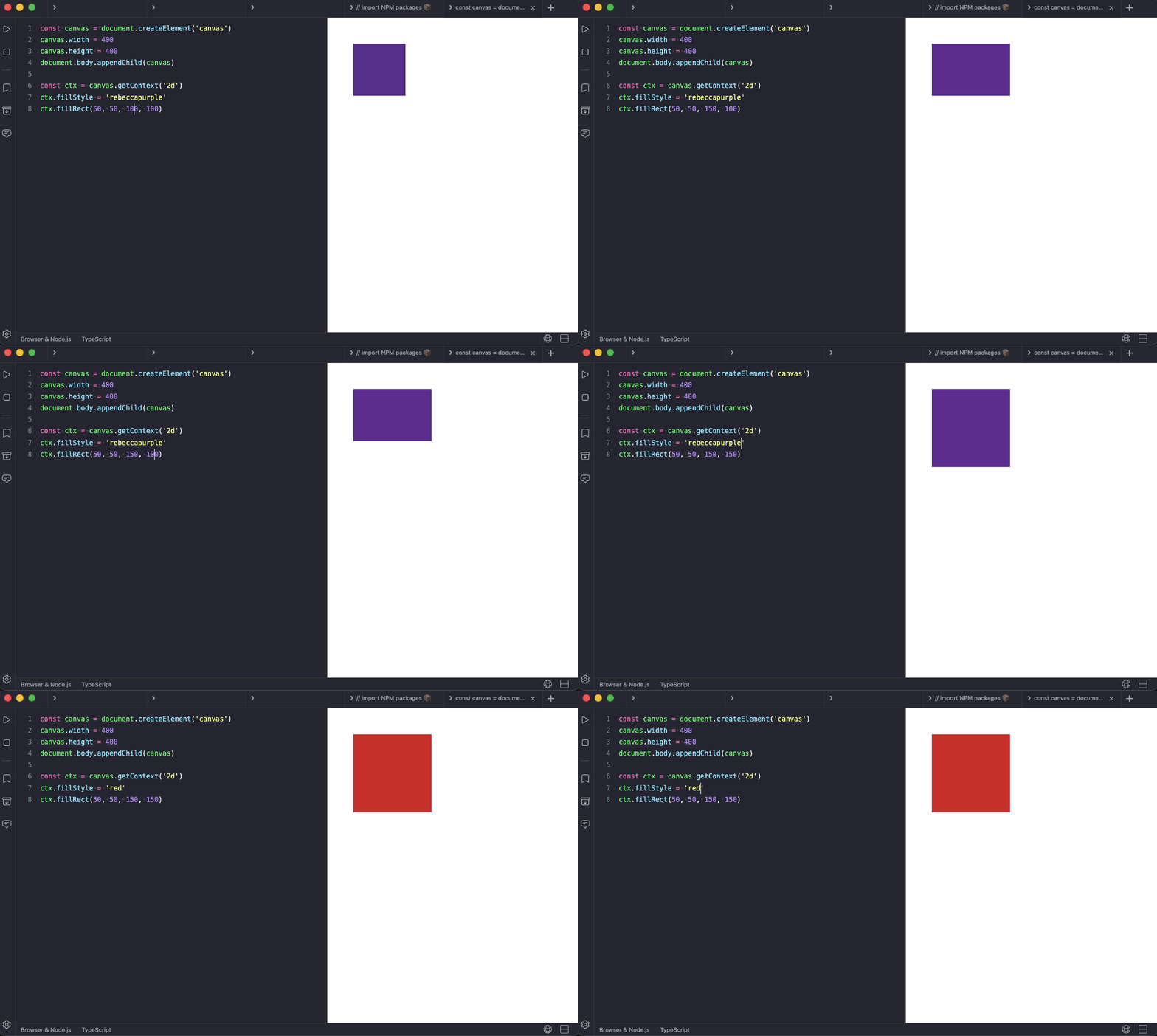
Create a canvas with explicit width and height and append it to document.body:
const canvas = document.createElement('canvas')
canvas.width = window.innerWidth
canvas.height = window.innerHeight
document.body.appendChild(canvas)

const ctx = canvas.getContext('2d')
ctx.fillStyle = 'rebeccapurple'
ctx.fillRect(50, 50, 100, 100)
Animating with requestAnimationFrame
requestAnimationFrame works as expected, and Auto Run starts the loop fresh on each re-run.
const canvas = document.createElement('canvas')
canvas.width = window.innerWidth
canvas.height = window.innerHeight
document.body.appendChild(canvas)

const ctx = canvas.getContext('2d')
let x = 0

function frame() {
  ctx.clearRect(0, 0, canvas.width, canvas.height)
  ctx.fillStyle = 'rebeccapurple'
  ctx.fillRect(x, 100, 50, 50)
  x = (x + 2) % canvas.width
  requestAnimationFrame(frame)
}

frame()