General
RunJS settings are organised across a number of tabs in the settings window. Open it from the app menu: RunJS > Settings on macOS, or File > Settings on Windows and Linux.
The General tab covers top-level app behaviour.
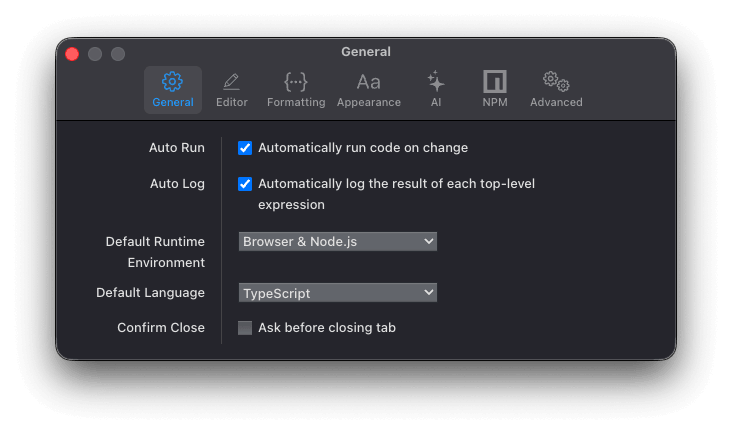
Auto Run: Code is executed as you type. When disabled, run your code manually using the keyboard shortcut or the run button in the activity bar.
Auto Log: Display the result of each top-level expression in the output pane.
Default Runtime Environment: The runtime environment used by new tabs. Choose from Browser & Node.js, Node.js, or Browser.
Default Language: The language used by new tabs. Choose from TypeScript, JavaScript, JSX, or TSX.
Confirm close: Show a confirmation dialog before closing a tab. The tab is only closed once you confirm.