React
React is a JavaScript library for building user interfaces with components. You can render React apps inside the web view.
Setup
- Set the language to JSX or TSX.
- Set the runtime environment to Browser or Browser & Node.js.
- Install
reactandreact-dom. - Toggle the web view on.
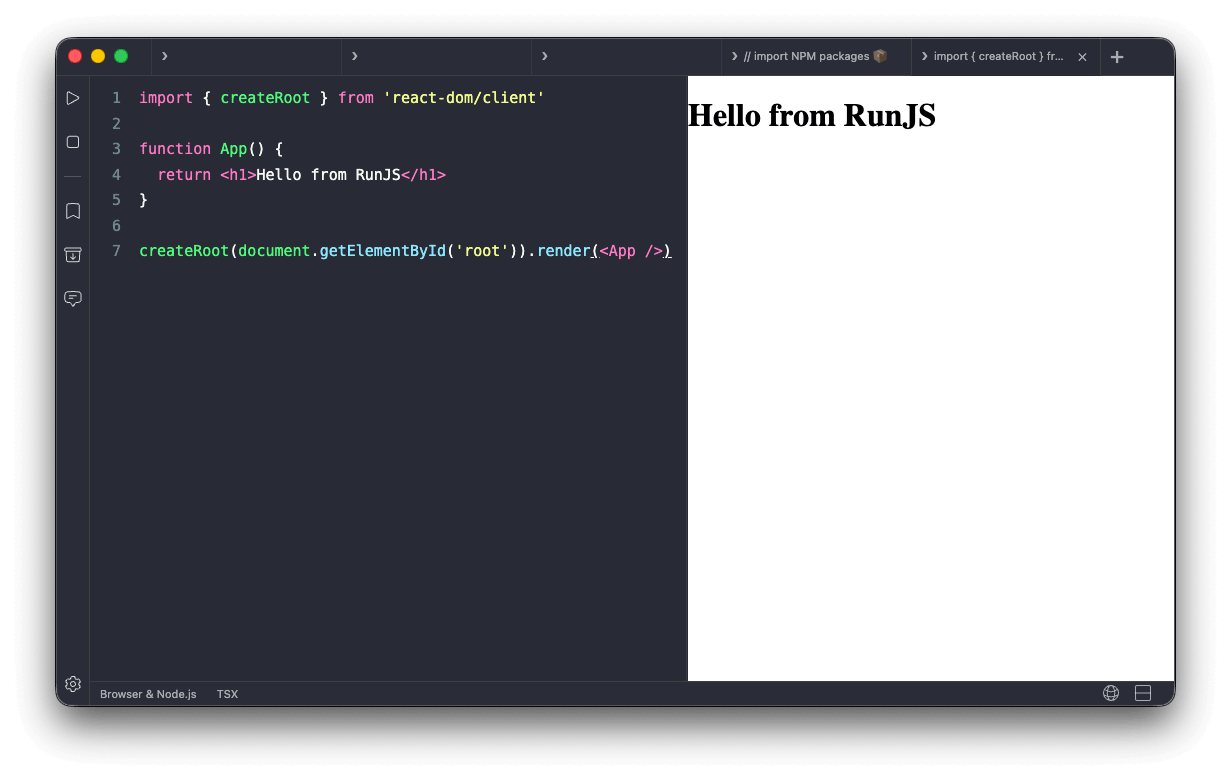
Rendering a React component
The web view provides a #root element to mount into:
import { createRoot } from 'react-dom/client'

function App() {
  return <h1>Hello from RunJS</h1>
}

createRoot(document.getElementById('root')).render(<App />)
JSX and TSX use the automatic runtime, so there's no need to import React.
Styling with CSS-in-JS
CSS-in-JS libraries like styled-components and @emotion/react work without configuration. Install the package and use it as you would in any React project. Inline styles also work.
import styled from 'styled-components'
import { createRoot } from 'react-dom/client'

const Title = styled.h1`
  color: rebeccapurple;
`

createRoot(document.getElementById('root')).render(<Title>Hello</Title>)